
Why Domain Spoofing Still Fools the Best of Us
We all like to think we are too sophisticated to fall for phishing, impersonation or domain spoofing.
We know not to wire money to stranded princes. We have learned to distrust the ALL-CAPS warning that our mailbox will be deleted in 60 minutes. We hover over links. We look for spelling mistakes. We tell employees to “check the sender.”
But we seem to forget that attackers learned those lessons, too.
Modern impersonation is increasingly polished, patient, and context-aware. The grammar is better, the branding is more accurate, the requests sound plausible. The sender may appear to be someone you communicate with every week.
Sometimes the difference between a legitimate message and a convincing impersonation comes down to a single character in a domain name.
And that is precisely why domain spoofing and lookalike domains continue to work.
The attack isn’t really on the domain. It is on recognition.
We humans don’t read email addresses character by character. We recognize patterns.
If you routinely receive email from company.com, your brain is remarkably willing to accept cornpany.com, company-support.com or another visually similar variation, particularly if everything else about the message looks right.
Attackers exploit that cognitive shortcut.
And generative AI has made the surrounding deception considerably easier to manufacture. Awkward grammar and strangely worded requests used to provide useful warning signs. Today, an attacker can create fluent executive correspondence, vendor requests, HR notices and IT support messages in seconds.
The suspicious email no longer has to look suspicious, it only has to look familiar.
Five Ways Impersonation Gets through the Front Door
The email says it is from “Jane Smith, CEO.” The actual sending address has nothing to do with Jane.
1. Display-name impersonation
The email says it is from “Jane Smith, CEO.” The actual sending address has nothing to do with Jane.
This is one of the oldest techniques in the book, yet it remains effective because many email clients emphasize the display name and minimize the underlying address.
2. Lookalike domains
Instead of attacking yourcompany.com, the attacker registers something close enough to pass a casual glance.
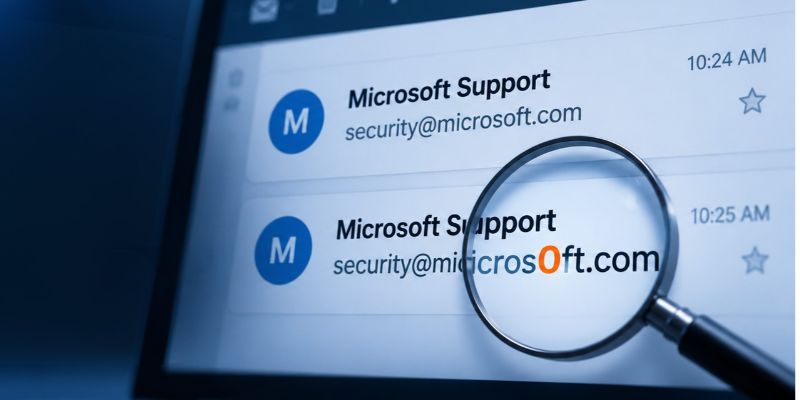
A classic example is substituting a number for a letter:
microsoft.com
micros0ft.com
The second domain replaces the letter “o” with a zero. Read quickly, particularly in a small font or on a mobile device, it can be surprisingly easy to miss.
Other variations are even less subtle but work because we recognize the brand before we scrutinize the address. Characters may be added or removed, words rearranged, or a legitimate company name paired with reassuring terms such as microsoft-support.com, company-secure.com or vendor-billing.com.
The important distinction is that the domain isn’t technically being spoofed. It belongs to the attacker. They registered it, control it and can configure it to send properly authenticated email.
That is what makes lookalike domains so effective. The attacker doesn’t have to impersonate microsoft.com technically; they only have to register something like micros0ft.com and convince you that you are looking at Microsoft.
In other words, the deception happens in the reader’s perception, not in the domain itself.
3. Homoglyph attacks
Homoglyph attacks take lookalike domains one step further by exploiting characters from different alphabets that are visually indistinguishable to the Latin letters we use every day. The Cyrillic alphabet is particularly useful for this because several of its characters closely resemble Latin ones: Cyrillic а, с, е, о, р, х and у, for example, can easily be mistaken for a, c, e, o, p, x and y in many fonts.
Consider these two addresses:
[email protected]
support@pаypal.com
See the difference? Probably not at first glance.
In the second address, the first instance of the letter а is the Cyrillic character, Unicode U+0430, while the familiar Latin a is Unicode U+0061. To the human eye they can appear identical. To a computer, they are entirely different characters.
That distinction can allow an attacker to create an internationalized domain that visually mimics a trusted brand, vendor or business partner.
Modern browsers and email systems have introduced protections against many of these tricks, including displaying suspicious internationalized domains in their encoded Punycode form (xn--…). Thus, the email address from the example above renders as [email protected] in its true Punycode form.
But implementations and circumstances vary and homoglyphs can also appear in other parts of an email or link.
The underlying lesson remains the same:
If two domains look identical, that doesn’t necessarily mean they are identical.
In fact, this is one of the purest examples of why visual recognition alone is no longer a reliable way to establish digital identity.
4. Subdomain deception
Subdomain deception exploits another very human habit: we tend to scan a web address for a familiar company name rather than determine which organization actually owns the domain.
Consider these two addresses:
login.microsoft.com
microsoft.com.secure-login-example.com
At a quick glance, both contain microsoft.com. But they lead to very different places.
- In the first example, the registered domain is microsoft.com, and login is simply a subdomain controlled by Microsoft.
- In the second, the registered domain is secure-login-example.com. Everything appearing before it, including microsoft.com is merely a subdomain chosen by whoever controls secure-login-example.com.
An attacker can make that prefix remarkably convincing:
microsoft.com.account.secure-login-example.com
payroll.company.com.verify.secure-login-example.com
vendor.com.invoice.secure-login-example.com
None of those domains belongs to Microsoft, your company or the vendor whose name appears prominently near the beginning of the address.
This works because humans tend to read URLs from left to right, while domain ownership is determined from the right. Attackers deliberately put the name we expect to see where our eyes are most likely to notice it, then bury the domain that actually matters farther to the right.
Long URLs make the problem worse. On mobile devices and in some email applications, addresses may be shortened or partially hidden, making it even easier for a familiar brand name near the beginning of a URL to create false confidence.
A useful rule of thumb is:
Don’t ask: “Do I see the company name in this URL?”
Ask: “What is the actual registered domain?”
And if an email is asking you to log in, approve a payment or provide sensitive information, the safest approach is often not to use the link at all. Open the organization’s known website or app independently and navigate to the requested function from there.
5. Compromised accounts
This is where things get considerably harder.
Sometimes there is no fake domain. The attacker has compromised a legitimate mailbox and is sending from the real company, potentially from an existing email thread involving people you already know.
At that point, “check the sender” is no longer sufficient advice. Organizations absolutely need to implement SPF, DKIM and DMARC correctly. Together, they make it much harder for an attacker to simply send an email claiming to originate from a domain they don’t control.
But there is an important distinction: SPF, DKIM and DMARC matter but they don’t solve impersonation.
Authentication protects your domain. It does NOT protect every variation of your identity.
DMARC can help prevent someone from spoofing company.com. It cannot prevent someone from registering company-payments.com and sending perfectly authenticated email from it.
That malicious domain can have SPF. It can have DKIM. It can pass DMARC.
Technically, the email is exactly who it claims to be. The problem is that the recipient thinks it is somebody else.
That is modern impersonation in a nutshell.
The 60-Second Impersonation Checklist
Before acting on an email involving money, credentials, sensitive information, or an unusual request, check:
☐ The complete sender address. Not just the display name.
☐ The domain spelling. Look for substituted, missing or additional characters.
☐ The actual destination of links. Does it match where you expect to go?
☐ The request itself. Is this normal behavior for this person or company?
☐ The urgency. Does the message manufacture a reason why normal procedures suddenly can’t be followed?
☐ The channel. Is the sender asking you to change payment information, disclose credentials or bypass an established process entirely by email?
☐ The context. A message can contain accurate names, titles, projects and vendor relationships and still be malicious.
And most importantly:
☐ Verify consequential requests through a second, trusted channel, not the phone number conveniently supplied in the suspicious email. Use the number that is already in your contacts, your internal directory, the vendor’s known website, or another established communication channel.
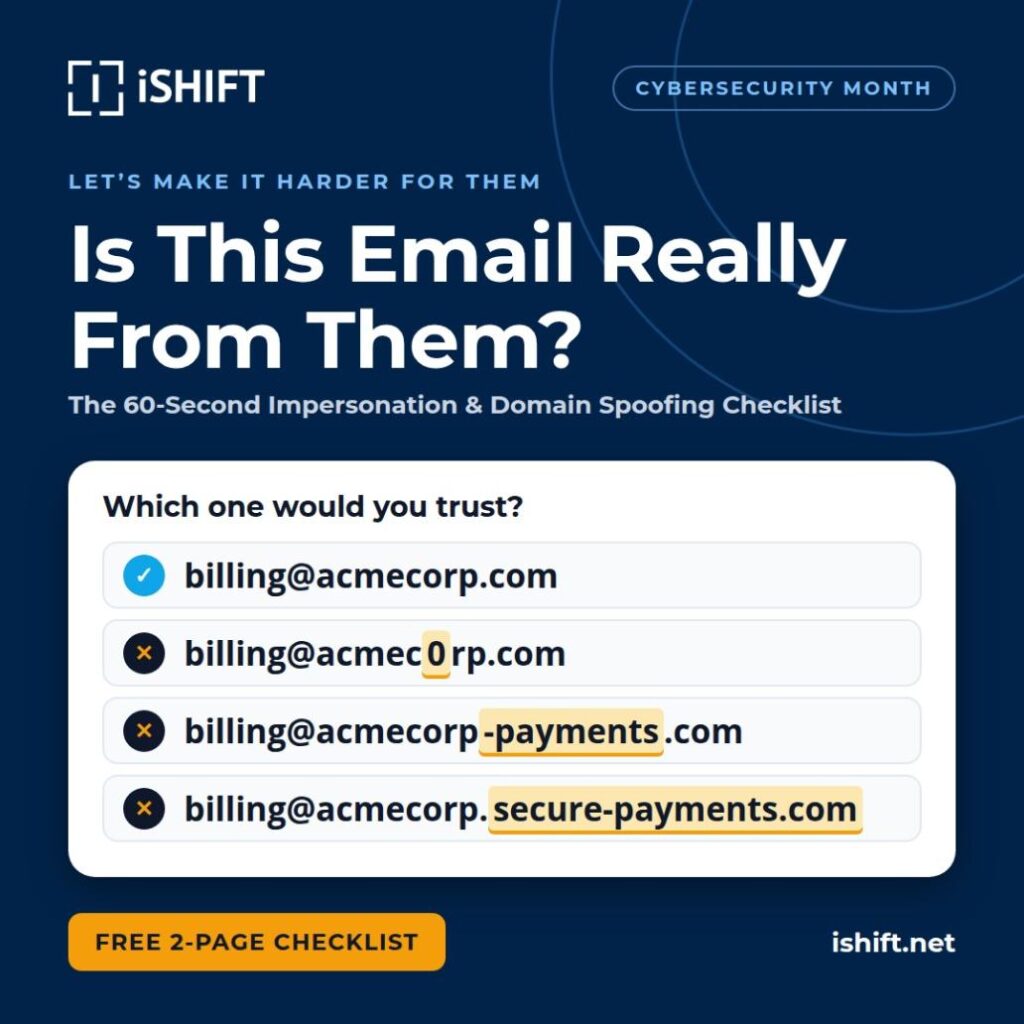
We’ve turned the key warning signs into a practical 60-Second Impersonation & Domain Spoofing Checklist you can save, print or share with your team. Download it now and keep it handy.
What Organizations Should Be Doing
Employee awareness matters, but “be more careful” is not a security architecture. Organizations need to combine human verification with technical controls.
Protect the domain
☐ Configure SPF correctly.
☐ Sign outbound mail with DKIM.
☐ Implement DMARC and work toward an enforcement policy rather than leaving it indefinitely in monitoring mode.
☐ Monitor authentication reports for unauthorized sending sources.
Protect the identity
☐ Monitor for newly registered domains resembling your corporate domain and important brands.
☐ Watch for common typos, character substitutions and brand-plus-keyword domains.
☐ Consider defensive registration of the most obvious high-risk domain variations.
☐ Establish a process for investigating and taking down malicious lookalike domains.
Protect the transaction
☐ Require out-of-band verification for changes to banking or payment instructions.
☐ Require dual approval for high-value financial transactions.
☐ Never allow an email alone to authorize a change in vendor banking details.
☐ Create clear escalation procedures when an employee suspects impersonation.
Protect the employee
☐ Train people using realistic examples, not cartoonishly obvious phishing emails.
☐ Teach employees to examine domains, not simply sender names.
☐ Make reporting suspicious messages fast and consequence-free.
☐ Train executives and finance teams more frequently because their identities and authority are disproportionately useful to attackers.
The most dangerous phrase in email security:
“It looked legitimate.”
Of course it did. That was the point.
The modern impersonation attack isn’t necessarily trying to defeat your firewall or crack your encryption. Often, it is trying to exploit something much simpler: our tendency to substitute familiarity for verification.
- The email looks familiar.
- The logo looks familiar.
- The executive’s writing style sounds familiar.
- The domain looks almost familiar.
And our brains fill in the rest.
The answer isn’t to distrust every email we receive. It is to recognize that identity has become something we need to verify, not something we can safely infer from appearance.
Because in modern social engineering, the attacker doesn’t need to become your CEO, your vendor or your IT department. They just need to look like them for about 30 seconds.

LET'S MAKE IT HARDER FOR THEM
You don’t have to wait for someone to impersonate your company to find the gaps. iShift can help you understand your external security exposure, email security controls, and the paths attackers are most likely to exploit.